

Introducing the
Tartás Pajtás device

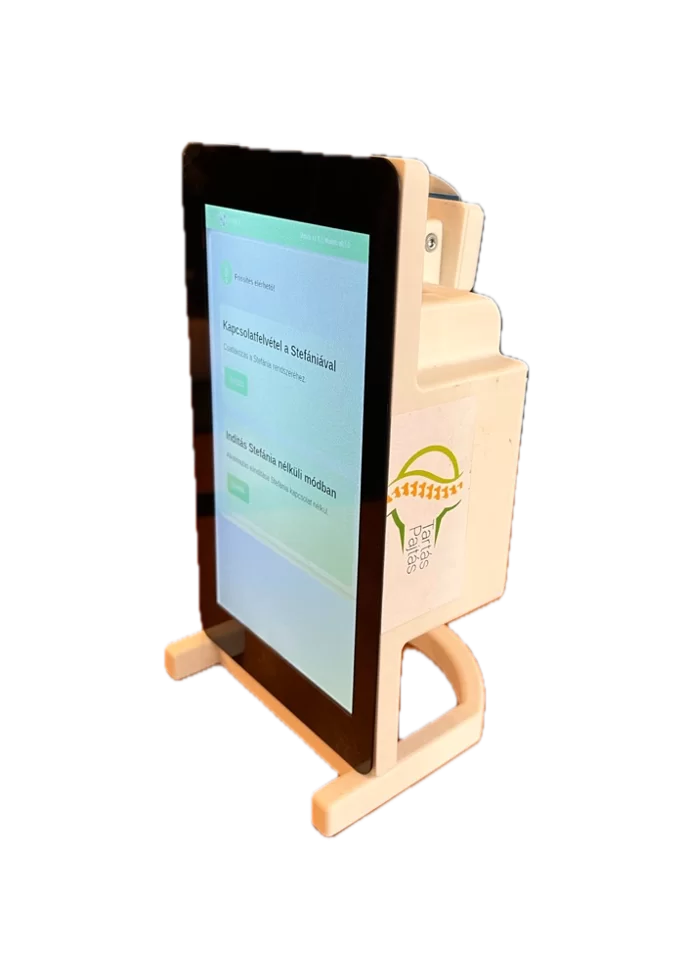
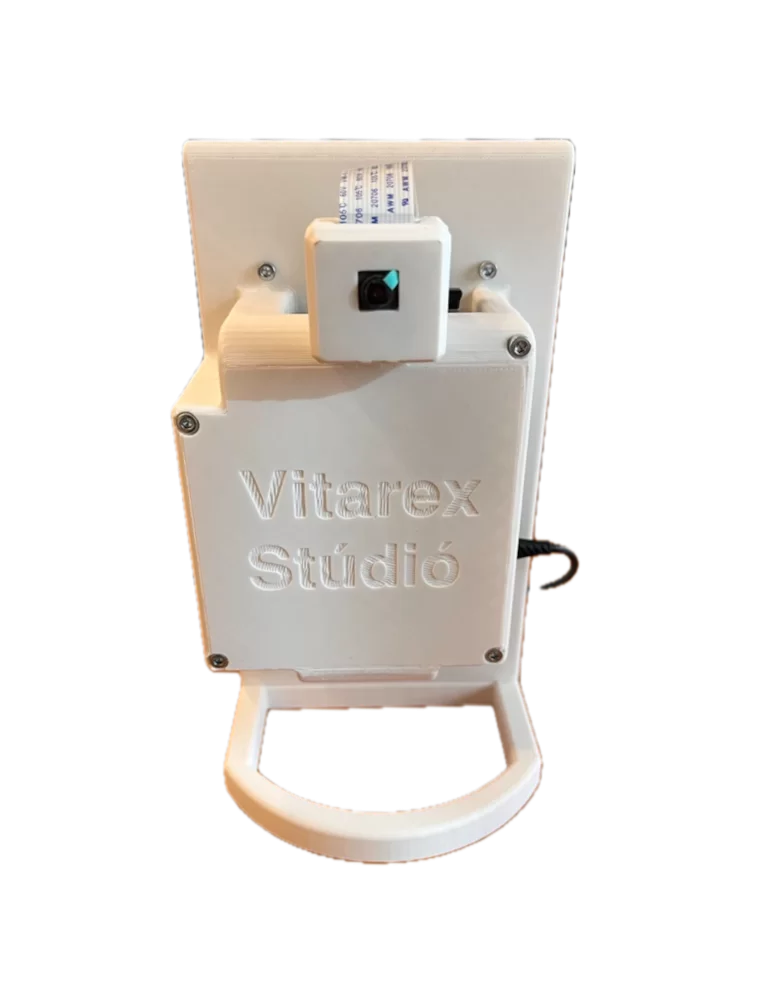
The Tartás Pajtás scoliosis screening device was made by Vitarex Stúdió with the cooperation of its partners as a case study of the international IML4E project.
Tartás Pajtás is an aid made by Vitarex specifically to support spine screening by school nurses (védőnő in Hungarian, the public-health nurses who run school health screenings), partly produced with 3D printing technology. The device and its software were designed so that using it is no more complicated than using a modern mobile phone, so measurements can be taken as simply as scanning a document with our phone.
The examination is easy to carry out with the device. Once the student stands in front of the device, it analyzes posture with the help of artificial intelligence by determining the position of the student’s key points (e.g. shoulders, hips), and then analyzes posture using the position of the key points and the student’s outline. The result appears on the Tartás Pajtás screen, and the school nurse can review it.
More information
- Tartás Pajtás manual v1.2 (PDF, 15 pages, in Hungarian – opens in a new tab)
- Frequently asked questions
Update log
Tartás Pajtás mobile version – retired
The online mobile version of Tartás Pajtás used to be available at tartaspajtas.vitarex.hu. We have retired the service, and it can no longer be used at this address.
Tartás Pajtás v1.1.1
- The timeout of HTTP requests has been increased significantly, so the program (data submission) works correctly even at lower internet speeds. This also means that if the program runs without internet, the main steps can be slower (the waiting time can be about 2 minutes instead of 1 minute).
- After a successful data save and/or submission, a modal window pops up as feedback, and the next measurement starts only after it is closed
- On the “Other options” page, we changed the button labels and layout for clarity.
Frequently asked questions
Help with turning on the Tartás Pajtás device, taking measurements and handling data. You can find the detailed description in the manual (PDF, in Hungarian, opens in a new tab).
How do I turn the device on?
The device turns on when you connect the charging cable. Plug the charger into the wall socket and the other end of the cable into the device’s USB-C input.
Startup can take a few minutes. Wait until the application interface appears.
How do I select the mode on the home screen?
On the home screen you can choose whether to take a measurement without saving, or to store the data on a USB drive or in Stefánia.
When does the update notification appear?
The notification appears when a new version becomes available. You can start the update by clicking the green exclamation mark. Do not turn off the device until the update has finished.
What happens during the update?
The new version of the application installs in the background, then the device restarts automatically with the new version.
How can I repeat a measurement step?
In the side menu, select the measurement step, then take the photo again with the “Retry” button.
What is the role of the key points in the measurement?
To analyze posture, the AI model identifies key points, for example the position of the shoulders and the hips. The application uses these to evaluate posture.
What is the Cobb angle, and how does it relate to the measurement results?
The clinical Cobb angle is the angle of the spinal curvature measured on an X-ray image. The angle value calculated from the shoulder and hip points identified in the photo is not the same. You can find the description of the Tartás Pajtás measurement results in the manual.
About the clinical concept: Scoliosis Research Society (opens in a new tab).
What do the values for the deviation of the center points mean?
The application calculates the displayed values from the position of the detected points. For a description of the markings for the deviation of the center points and of how to use the measurement screens, see the manual.
What happens when I click the “New measurement” button?
With the “New measurement” button you can start measuring a new student. Previously taken images are deleted every time a new measurement starts, so make sure to save the necessary data before a new measurement.
How do I turn the device off?
First save the necessary data and changes, then select the shutdown function in the side menu. When the device is off, unplug the power cable.